
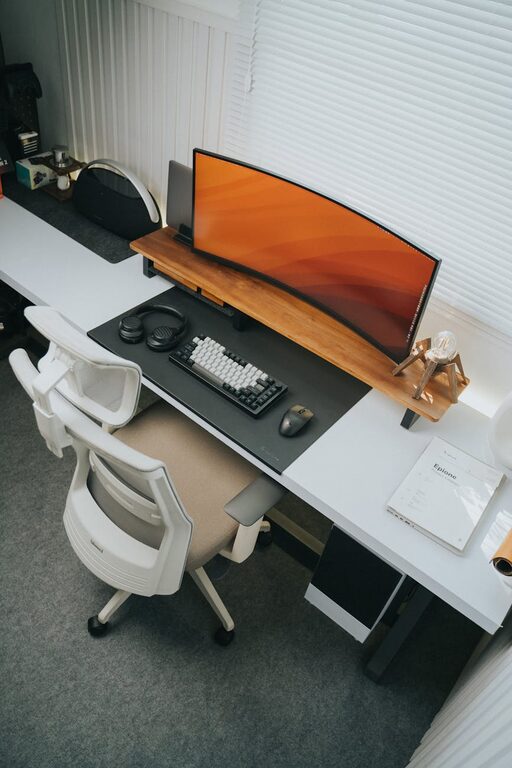
Creating a clutter-free and productive home workspace is essential for anyone working remotely or managing tasks from home. A well-organized workspace not only helps improve focus but also reduces stress and enhances overall work satisfaction. Whether you have a dedicated room or a small corner, these tips can help you transform your home workspace into an inviting and efficient area.
Why Organize Your Home Workspace?
A disorganized workspace can lead to distractions, wasted time searching for items, and difficulty focusing on important tasks. On the other hand, a tidy and thoughtfully arranged space brings clarity and calm, helping you maintain motivation and efficiency. When your environment supports your work, you’re more likely to have productive days and a healthier work-life balance.
Start with Decluttering: Keep Only What You Need
The foundation of an organized workspace is minimizing clutter. Begin by removing everything from your desk and storage areas. Evaluate each item and decide whether it’s essential for daily or frequent use.
– Remove non-work-related items: Personal items or unrelated objects can distract or crowd your space.
– Limit décor: Keep decorative pieces minimal to avoid visual distractions.
– Sort papers: Recycle or file documents you no longer need and keep only those relevant to your current projects.
Decluttering creates physical and mental space, making it easier to focus and organize effectively.
Designate Zones for Different Activities
If space allows, divide your workspace into zones to keep activities organized.
– Work zone: Place your computer, phone, and primary tools here.
– Reference zone: Store books, manuals, or notes you frequently consult.
– Storage zone: Keep supplies like pens, paper, and printer ink.
– Creative zone: A small area for brainstorming, sketching, or other creative work.
Having defined areas reduces clutter spillover and helps you find what you need quickly.
Choose Functional and Comfortable Furniture
Your furniture influences how well your space supports productivity.
– Ergonomic chair: Invest in a comfortable, supportive chair to reduce fatigue.
– Adequate desk space: Ensure your desk is large enough to accommodate your work essentials without overcrowding.
– Storage solutions: Use shelves, drawers, or filing cabinets to keep items organized and off the desk.
– Adjustable lighting: Good lighting reduces eye strain; consider both natural light and task lighting.
Comfort and practicality reduce distractions caused by discomfort or clutter.
Use Organizers and Containers
Keeping small items tidy is easier when you have proper organizers.
– Desk organizers: Use trays or compartments for pens, paper clips, and other small tools.
– Cable management: Organize chargers and cables with clips or cable sleeves to prevent tangles.
– File holders: Separate documents with folders or vertical file holders.
– Drawer dividers: Keep drawers sorted and prevent items from mixing.
These simple tools make cleanup quick and maintain order.
Embrace Digital Organization
A clutter-free workspace isn’t just about physical items. Managing your digital space is equally important.
– File naming: Use clear, consistent file names so you can find digital documents easily.
– Cloud storage: Store files online to reduce paper clutter and access work from anywhere.
– Limit widgets: Keep your computer screen clean by using only essential apps and widgets.
– Regular backups: Prevent data loss and reduce stress by backing up your work regularly.
Digital tidiness complements your physical workspace and helps maintain productivity.
Develop Daily and Weekly Routines
Organization is an ongoing process rather than a one-time event. Create simple habits to maintain your workspace:
– Daily tidy-up: Spend five minutes at the end of each day putting items back in place.
– Weekly review: Sort papers, clear out trash, and assess your systems for improvements.
– Set goals: Keep a to-do list visible to stay on track with tasks.
Consistent routines prevent clutter build-up and keep productivity flowing.
Personalize Mindfully
While keeping your workspace organized, it’s important to personalize it in a way that inspires you without causing distraction.
– Add plants: A small plant can brighten your environment and improve air quality.
– Inspiring items: A photo or motivational quote can encourage focus.
– Color scheme: Use calming colors to create a soothing atmosphere.
A workspace that feels inviting encourages you to spend time working productively.
Minimize Distractions
Finally, consider what external factors affect your focus.
– Limit noise: Use noise-canceling headphones or soft background music if helpful.
– Set boundaries: Communicate your working hours to family or roommates to reduce interruptions.
– Keep essentials close: Avoid unnecessary trips by having commonly used items within arm’s reach.
By controlling your environment, you can maintain concentration and better manage your time.
—
Final Thoughts
Organizing a clutter-free and productive home workspace is achievable with intentional effort and simple strategies. Remember that your workspace should serve your needs and support your work habits. Regular tidying, functional furniture, and thoughtful personalization create an environment that fosters success, whether you work full-time from home or manage occasional tasks remotely.
Start small, stay consistent, and enjoy the benefits of a workspace that helps you do your best work every day.
