
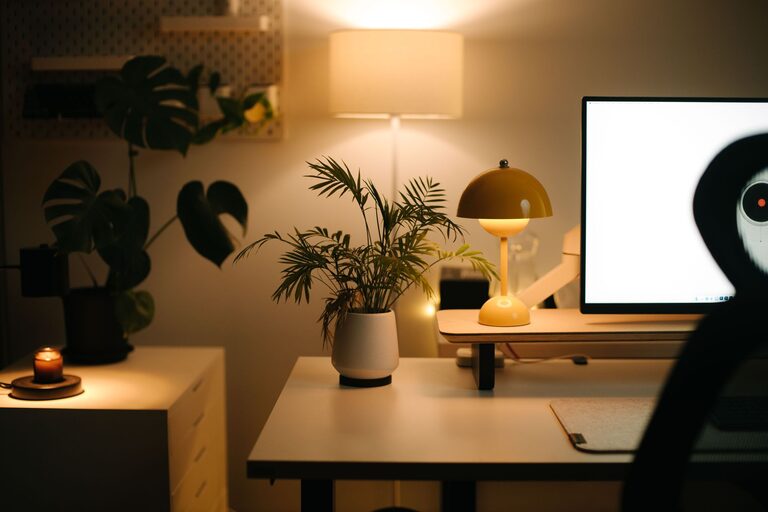
Creating a cozy and functional home workspace can significantly enhance your productivity and overall work-from-home experience. Whether you have a dedicated room or a small corner in your living area, designing a space that feels comfortable and keeps you focused is essential. Here are some practical tips to help you set up the ideal home workspace.
Choose the Right Location
Consider Natural Light
Whenever possible, set up your workspace near a window. Natural light boosts mood and reduces eye strain. Position your desk to benefit from sunlight, but avoid glare on your computer screen.
Evaluate Noise Levels
Pick a quiet spot away from high-traffic areas or noisy appliances. If complete silence isn’t possible, consider noise-cancelling headphones or soft background music to maintain focus.
Space and Privacy
Choose an area that offers enough room for your essential work tools and provides a degree of privacy, especially if you share your home with others.
Invest in Comfortable and Ergonomic Furniture
Desk and Chair Selection
Select a desk with enough surface area to hold your computer, notepads, and other essentials. An ergonomic chair with adjustable height and good lumbar support helps maintain proper posture and reduces discomfort.
Consider Standing Desks
If possible, use a standing desk or an adjustable desk converter. Alternating between sitting and standing can improve circulation and reduce fatigue.
Organize Your Workspace Efficiently
Declutter Regularly
A tidy desk helps minimize distractions. Keep only necessary items within reach and store away paperwork, cables, and unused gadgets.
Use Storage Solutions
Incorporate shelves, drawers, or organizers to store supplies neatly. Label containers and files to find things quickly.
Cable Management
Tidy wiring reduces mess and potential hazards. Use clips, sleeves, or under-desk trays to keep cables organized.
Personalize Your Space Thoughtfully
Add Comfort Elements
Include a soft rug, cushions, or a cozy throw blanket to create a warm atmosphere.
Incorporate Greenery
Plants not only brighten a room but also improve air quality and overall well-being. Choose low-maintenance indoor plants like succulents or pothos.
Decorate with Intention
Choose artwork, photos, or inspirational quotes that motivate you but avoid overcrowding your workspace visually.
Optimize Lighting
Use Layered Lighting
Combine natural light with task lighting, such as a desk lamp, to reduce eye strain during late hours.
Choose Warm Light Bulbs
Warm-colored bulbs (2700K–3000K) create a cozy atmosphere, while cooler bulbs (4000K–5000K) can boost alertness at certain times.
Maintain Healthy Habits
Incorporate Breaks
Set reminders to take short breaks for stretching or walking. Regular movement helps prevent stiffness and fatigue.
Establish Boundaries
Create a routine that clearly separates work time from personal time, even if your workspace is in your living area.
Enhance Technology Setup
Reliable Internet Connection
Ensure your workspace has strong Wi-Fi or a wired internet connection to avoid interruptions.
Use Quality Accessories
Invest in a good keyboard, mouse, and headset that suit your ergonomic needs.
Backup and Security
Regularly back up your work and use security software to protect your data.
Final Thoughts
Designing a home workspace that is both cozy and functional involves considering your physical comfort, organization, and environment. By thoughtfully selecting your location, furniture, lighting, and decor, you can create a space that inspires productivity while making you feel at ease. Remember, your workspace is personal—adjust these tips to fit your unique needs and preferences for the best results.
